
7 Essential Features Every Lone Worker Safety App Should Have
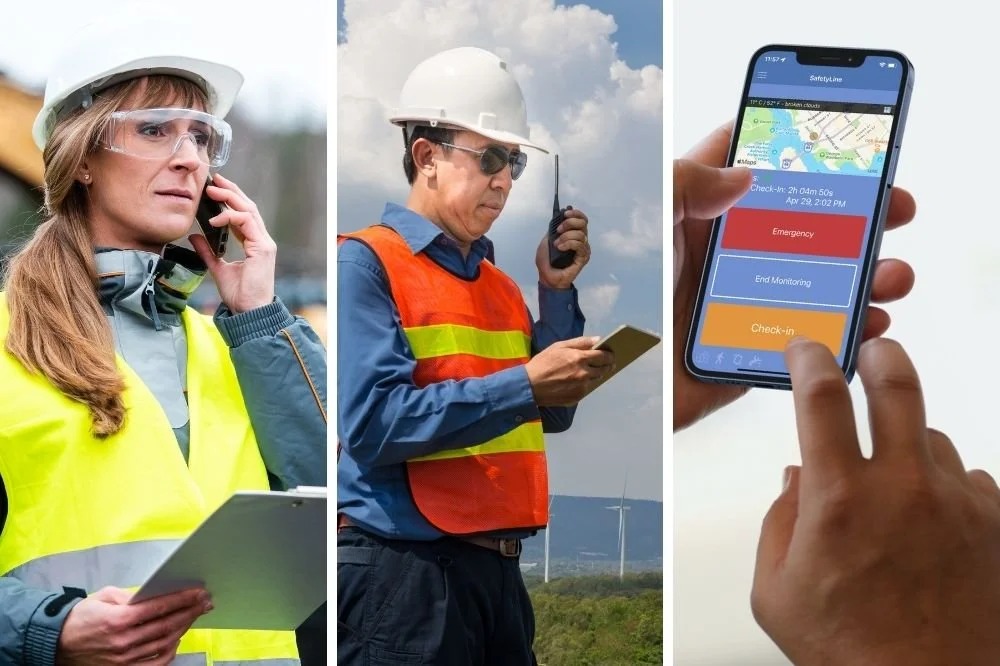
A lone worker safety app is a mobile tool that monitors people who work alone and alerts others when help is needed. This guide explains the 7 essential features every lone worker safety app should have, including check-ins, GPS tracking, duress alarms, man down detection, wearables, monitoring and risk assessments. Knowing what each feature does makes it easier to understand how a lone worker safety app supports people in remote and isolated roles.
What Is a Lone Worker Safety App and Why It Matters
A lone worker is anyone who carries out their job without close supervision or nearby colleagues. Common examples include security guards, home care staff, field technicians, rural workers and after-hours retail employees.
The main risk is delayed help. If a fall, medical episode or confrontation occurs, nobody may notice for hours. A lone worker safety app shortens that gap by detecting a problem and sending an alert.
In Australia, work health and safety laws require businesses to manage risks to workers, including those who work remotely or alone. Safe Work Australia publishes guidance on this duty, and safety apps are one of the tools businesses use to meet it.
1. Scheduled Check-Ins
Check-ins are the core function of most lone worker apps. The worker confirms they are safe at set intervals, usually with one tap. If a check-in is missed, the app alerts a supervisor.
Useful details include adjustable timers, simple response buttons and automatic escalation. A working alone check-in app only protects people if it is quick enough to use consistently, so ease of use matters as much as the feature itself.
2. Live GPS Location Tracking
When an alert is raised, responders need to know where the worker is. GPS tracking provides that information, either continuously or at the moment an alert is triggered.
Many apps also include geofencing, which marks a site boundary and records when a worker enters or leaves. Battery use is another factor, because location tracking can drain a phone quickly over a long shift.
3. One-Touch Duress Alarm
A duress alarm lets a worker request urgent help with a single press. It is designed for situations such as aggression, threats or a sudden emergency.
Most duress features are silent, meaning no sound or screen change signals that an alert was sent. The alert usually includes the worker’s location, so responders can act without a phone call. Speed and simplicity are important here, because people under stress have limited time to navigate menus.
4. Man Down and Fall Detection
Man down detection covers situations where a worker cannot press a button. Motion sensors identify a sudden fall or a long period without movement, then start a short countdown.
If the worker does not cancel the countdown, an alert is sent automatically. The cancel step helps limit false alarms while still protecting someone who is unconscious or injured.
5. Wearable Support Such as an Emergency Wrist Watch
Phones are often left in bags, vehicles or pockets, which makes them hard to reach after an incident. A wearable keeps the alert button on the body. An Emergency Wrist Watch is one common example, combining an SOS button with GPS and sometimes fall detection.
Key points to understand about wearables include:
- The SOS button should be easy to press deliberately but hard to trigger by accident
- Battery life should cover a full shift
- Water and dust resistance matter for outdoor work
- Alerts should appear in the same dashboard as app alerts
6. 24/7 Monitoring and Escalation
An alert only helps if someone responds. Monitoring describes who receives alerts and what happens next.
Some organisations use an internal supervisor, while others use a professional monitoring centre that operates around the clock. In both cases, a clear escalation path is important, such as a call first, then a text message, then emergency services if there is no answer. Response logs also record how incidents were handled, which supports later review.
7. Job Safety Assessment Tools
Prevention is part of lone worker safety too. A job safety assessment is a process that identifies hazards in a task before work starts and records the controls used to manage them.
Some apps include digital forms so workers can complete the assessment on site, note hazards and attach photos. The assessment can also set the level of monitoring, for example by shortening check-in intervals on higher-risk jobs. Saved records are useful for audits and incident reviews.
FAQs
What is a lone worker safety app? A lone worker safety app is a mobile tool that checks on people working alone, sends alerts if they miss a check-in or press SOS, and shares their location with supervisors.
Is a lone worker safety app required by law in Australia? No specific app is required. However, WHS laws in Australia require businesses to manage risks to remote and isolated workers, and an app is one practical way to do this.
Do lone workers need an Emergency Wrist Watch? Not always. A wrist-worn device is useful when a phone is out of reach, such as after a fall, so it suits higher-risk or remote work.
How often should a job safety assessment be done? Before starting a new job and whenever site conditions change. Regular reviews keep hazard controls current.
Can a lone worker safety app work without mobile coverage? Some apps queue alerts offline or pair with other devices. Coverage varies, so it should be checked against the conditions at each work site.
Conclusion
A lone worker safety app is built from seven connected features: scheduled check-ins, live GPS, a duress alarm, man down detection, wearable support, monitoring and escalation, and risk assessment tools. Each one addresses a different gap, and together they reduce the time between an incident and a response.
An Emergency Wrist Watch keeps an alert button within reach when a phone is not, and a job safety assessment helps identify hazards before they cause harm. To put this into practice, review your current lone work process against these seven features and read the Safe Work Australia guidance on working alone.